How Cryptolocker (Ransomware) gets installed and how to remove it!

Cryptolocker Virus!

I have been watching what has been going on in the past few days and thought it was high time I tell you about this nasty little worm or virus! It has been many months since I have talked about this and I wanted to help you understand how you might of been infected. If you have been infected and want to remove it, you can easily remove it by using Malwarebytes Pro, Which is a sponsor of my blog. The Malwarebytes Blog has some interesting stuff about what this bug really does to your files and what it encrypts!

Drive by download

Some would say it is coming from emails but I suspect it will get much worse before it gets better. If they are making money they will probably start advertising that you have a virus and when you click on the image you will be taken over to actually have the virus or worm as some would call it. It all started when scammers started infecting systems and doing the defederpageblock and others like that. They found they could actually make money by scaring people into paying. I even tried to help people by offering some great Antivirus And Antimalware tools to help fight off this types of infections.

So how are some ways to get infected? The basic ways are simple opening email links if you don’t know the sender. This is the most common approach by any scammer or spammer because you can’t really see where that link is going or even if they are trying to use a script.

Social Media is the next biggest way that you might get infected by clicking links in Twitter, Facebook, LinkedIn, and sites like that. You have to be careful but most of the time you can expand the URL by using a service like LongURL. I sometimes use this to find out where a shortened bitly link or twitter link is going to take me.

Googling or Searching is the next way an attacker would install this type of software on your system. They would just use scripts, known vulnerabilities, to force install or silent install this type of software in your system and if you were using something like NoScript you would be much safer than if you didn’t!

Installing untrusted software can lead to you getting infected by this virus and others if you think you have to have a piece of software for something then please do not use your Windows Admin account to install this on. You should try to see what others are saying about a particular software or application. It isn’t always going to be fool proof but it will at least slow it down.

Now these are a few ways you could get infected if you were trying to get infected with this nasty virus. Which case you would be paying 300 US dollars or 2 bitcoins which is how they want to keep getting paid. So if you don’t want to find your pictures, and important data encrypted, please put them on a recordable dvd and put them up! This would be one step to help fight this little problem.

I havent’ heard if it has infected any Apple, Android, or Linux Operating systems it looks to be primarily Windows Systems. I can assure you it will happen to these other OS in the coming months so don’t think you aren’t immune to this and other malwares or viruses. With Android having exploits in the wild you can bet they will targeted soon to encrypted your contact list and your pictures. This would be my next bet!

Top 3 Science Fiction Books to Read on the Android! (Authors Included)

Attic Clearout

Peter F. Hamilton

One of the best Science Fiction Authors I have read in the past few months.   I’ve started to read the Pandora’s Star and can’t get enough of any of his books!  He keeps me wanting more from his books, and nothing keeps my attention like his books!

P2160004

Orson Scott Card

With the Movie Coming, Ender’s Game is one of those books you must read and then maybe even read other books by this author.   I am getting ready for the movie but would love to know the story and more!

The Hunger Games.

Suzanne Collins

If you loved the Hunger Games Movie then the Hunger Games Book should be on your list of books to read to get ready for the Catching Fire Movie coming out in the coming months.  If you haven’t read any of her books, it should be one of the many you may want to read next week!

As you can see I have been getting ready for some movies that are to due to hit the theatres next few weeks and I simply love some of these movies and thought it would be nice to see the differences.  So if your like me, these are something that must be read in order to understand the movie plots!

Top 5 Android Apps to install for Streaming Shows and Movies!

The Low Down!

I’ve recently been looking to to stream all my favorite shows on my Android device and thought this would be a good chance to help others in the same process.   So here they are!

CBS Interactive, INC

I can watch several of my all time favorite shows like How I met your Mother, NCIS, CSI, Big Bang Theory, Under the Dome, The Good Wife, and even an old Favorite the Original Series Star Trek!  Everything you Might need to watch and more from one of the Biggest I’ve seen yet.   The Streaming part of this can be questionable, but I am hoping this is a WORK IN Progress, since they released this recently for the Android, IOS, and Window 8.   I can only hope!

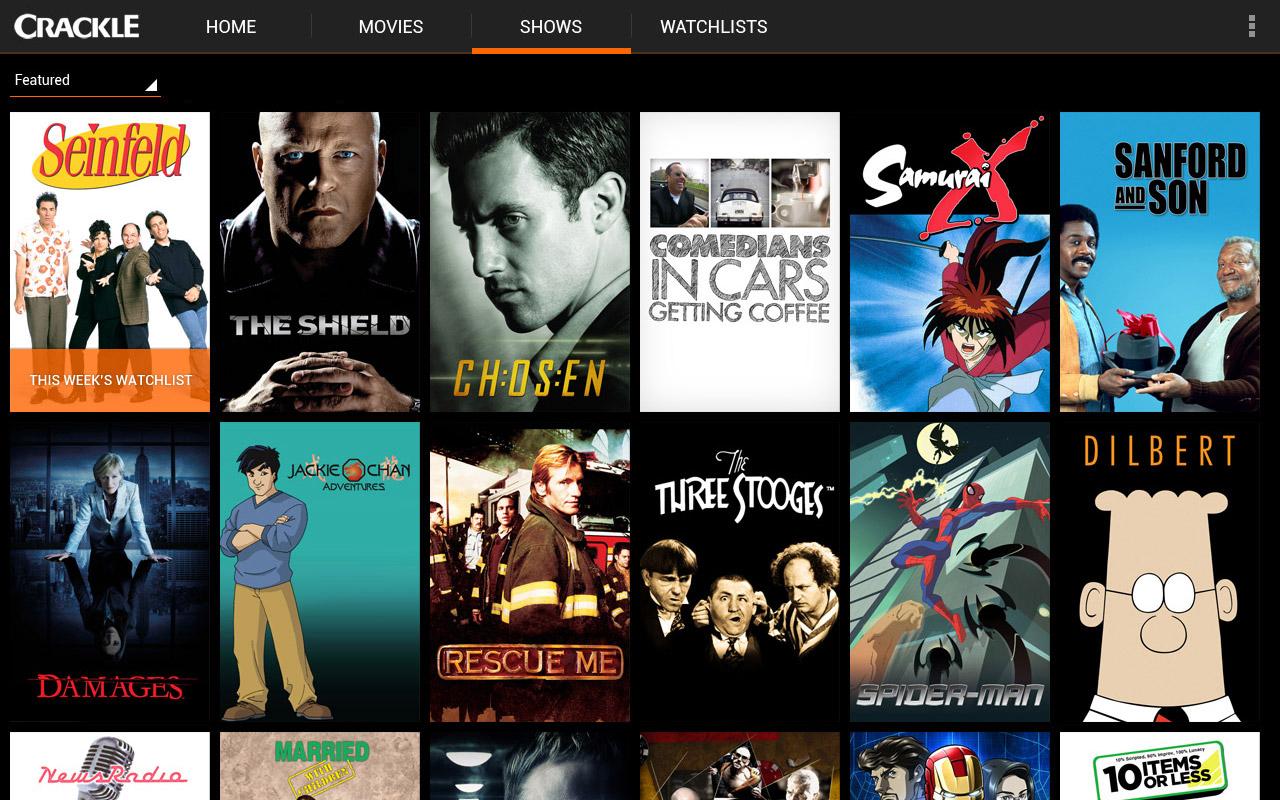
Crackle — Movies and TV

Crackle, is constantly changing and adding some new and old series to their lineup.   I can’t give tell you who is going to be on their but they have some great Anime Series and Science Fiction Series that you might like to check out!

The Discovery Channel

The Discovery Channel has several that you might want to add to your favorites.  The Ones that I am quite happy with are Mythbusters.   There are a ton of other series you should check out but I just love the Mythbusters episodes and they are my main pick right now!

The History Channel

This has some great Shows and topics that you will want to check out including The Bible, Only in America With Larry the Cable Guy, and The Universe!   Although I don’t watch all these, it has some great shows and specials and stuff that is constantly being added.  I am constantly checking to see what else is being added on each month.

Hulu Plus (Download the App)

You will need a Subscription to Hulu Plus for $7.99 a month to use this on you tablet or even your phone but The main reason I am considering this is because of Doctor Who and Maybe a few others but that is the main reason.   Hopefully Hulu will be getting new episodes in fall but only time will tell! oh And on a side note, you should also install Netflix if you decide to go that route also.   They have some great streaming episodes and movies that you might want to watch on your android device also!  

These are USA Streaming only but you can obviously get around that by using a VPN service like VPN4ALL.  You can stream these and other sites or Apps with the free VPN4ALL app that you can get from the Google Play Store!

Know of any Android Streaming apps you recommend, leave a comment and tell everyone which ones you think are best!

Protect Your Consoles From Hacks and Phishing

Only a few years ago, the largest threat to a gamer involved having to blow the dust out of their cartridges. Today, Hacking NetFlix reports that three out of four current-generation console owners utilize an Internet connection for gaming and streaming, making them vulnerable to identity thieves who prey on gamers. Today’s consoles provide an all-in-one entertainment device, but this makes them vulnerable to all the safety hazards of online play and communication. How can you protect yourself when playing online?

Xbox Live

Due to the necessity of using a credit card to access Xbox Live, Microsoft’s gaming console has proven a prime target for hackers. BehindTheGames reported in May of this year that a particularly effective hacking protocol left nearly fifty million users exposed to identity theft. Turning off Xbox Live will prevent digital identity theft, but makes you unable to enjoy your games online. Instead of cutting yourself off, you can get a Hard Drive Transfer Kit (this comes standard on new 120 GB Xbox 360 units) that transfers information from one hard drive to another, so that your information remains backed up and you can swap out the sensitive data when you want to play online.

Playstation Network

Since Playstation offers its online services for free, fewer hackers try to break into the console digitally. Keep in mind, “fewer” does not mean “none”, and Sony made headlines in 2011 when their online breach put millions of customers at risk. Ars Technica reported that they were fined just under half a million dollars for the security fault. The good news is that all of your information on a Playstation can be protected by simply placing all data onto one of the removable ports, loading it onto a USB drive, and taking the drive out. While your information remains digitally stored, hackers have a very long way to go before they find out how to remotely hack an unconnected USB drive.

Wii

With only about fifty percent of Wii users logging onto the Internet to play, Nintendo has avoided the data breach scandals of its competitors. In fact, their biggest brush with hacking comes from the pirates who try to “crack” or “brick” units to play modified games. Nintendo Life reports that the company has tested its new Wii-U against external hacks and found it to be “uncompromised”. What’s more, their data protection service is easier than any other. Simply go into the Wii shop channel and choose “remove account” in settings and features. This wipes your credit card and identity information, which you can simply re-enter whenever you want to make an online purchase.

Online Accounts

Credit card fraud and identity theft becomes common when a person fails to wipe their console of information, but console hacking can be prevented rather than retroactively dealt with. You can protect yourself by using LifeLock services against all-purpose identity theft, whether it stems from bogus emails or hackers. Lifelock advice applies to consoles, as well, according to its website. It’s recommended to use pre-paid credit cards for online purchases, so that a hacker who does get hold of a credit card number has stolen only chump change.

Julius Ballard

Julius is a blogger skilled in speaking technobabble to describe his two loves: gadgets and computers. LifeLock is a Sponsor to my webpage and anything you buy with that link will give me a commission so feel free to support my site!

Secure Browser Alternatives for browsing safely on the web!

Zero day vulnerabilites target Internet Explorer

Cyber Security Awareness Month

If you didn’t know October is Cyber Security Awareness Month and I wanted to give out some ways to keep you safe on the internet.   I know I am not the only to suggest some of this but if you didn’t know please don’t use Internet Explorer to web browse.   If should only be used for updating Windows and that is the extent of what it should be used for it.

Is Chrome more secure than Safari?

Safari, to my knowledge as a few vulnerabilities and thus you should be keep away from using it.   I won’t say much about this because we never really know who is actually going to use these but you can bet hackers know of ways to get into your system.

Which Browser is best?

Any browser you think is safe is probably going to be wrong.   I am going to tell you which browsers are safer but none of them are a 100 percent safe.   Each one of them has good and bad but I am going to at least guide you in the right direction.  

Chrome Browser

Chrome is one of the ones, I do recommend but it shouldn’t just be used by itself.   You should add a few extensions to better protect yourself:

  • Adblock Plus — Good to protect yourself from those annoying advertising.   (Please be aware that I use advertising on my site and that is how I pay for my hosting and other things like that.   Please consider white listing my website to allow advertising.)
  • Lastpass — This is one of those that I recommend on a constant basis because it makes sure you create a strong password that you don’t have to remember.   It helps make sure no account password is ever the same!
  • ScriptSafe — Keep unwanted scripts from playing when you visit a website!  Certain web sites should be allowed and white listed, like mine. 
  • Dolphin Connect — I use the Dolphin browser on my Android Device and this is one of those ways to keep track of all your bookmarks.   Not really security related but it is very useful!

These are just a few that I recommend when you use the Chrome Browser.

FireFox Browser

FireFox is another one that I recommend when you are looking to browse the web securely.  Although it isn’t 100% secure because none are.   Some of the Add On’s you should add to your FireFox Browser are:

  • NoScript Security Suite — It is another No Script app that lets you prevent unwanted scripts from running! 
  • Lastpass — Just like Chrome, it helps keep your passwords safe and helps you keep all passwords unique!
  • Adblock Plus — Just like Chrome this can help keep those annoying advertisements from showing but please remember to white list sites that do need to advertise and do not use annoying advertisements!
  • Web Of Trust — This is a good add on for Firefox to know which web sites you can trust more with and which ones that are not trustworthy!  (if you like my site could you review it and let people know what you think about this site!)

As you can see these are the two that I always tell my family to install, I usually don’t tell them to install both but one of these two but it is up to you if you want to have both web browsers installed on your system.   It just varies from person to person which one is better for your use!   I am sure there are more addon’s or extensions that you should add but these are the ones I tell my friends and family to install first.  Which one of these two browsers are you favorite?  Leave a comment and tell others!