Why Having a rolling updates for Windows 10 is a Good Idea!

Microsoft Windows 10

Those unexpected times

So you need your Windows 10 for something important from maybe a church service, or you have an important meeting on zoom for Tuesday.   You have something important going on and Windows brings up this notification that you should reboot your system for an Windows 10 update.  You can tell it to schedule the update later that day or even during the night with no problems but what if you have to reboot your system?   There’s the problem, you do have the option to restart without updating but most people don’t know that option.   It’s an easy fix.   Go into command Mode by typing Cmd into the search bar.

cmd prompt

and then type:

shutdown -s -t 0

Once it shutdowns you just reboot your system and you are back to where you left off.  It however isn’t always that simple with people who seem to forget that little trick from time to time.

Rolling Updates

What if You don’t have time to do this little trick or you forget.  Well you know what happens, you wait for the update to take place.  It can take anywhere from a few seconds to a few minutes depending on how big the update is.   I’ve seen it take like 10 mins on some systems. It can take some time to update Windows 10 because you get some massive updates sometimes when it comes to updates.   You get new Revisions and you get new patches every 2nd Tuesday of the month.   What if you need the updates to update on a certain day.     There is a way to do it.  Depending on which day you need to do the updates, you can make Windows 10 pause the updates up to 35 days and that can be a very useful way to prevent unexpected updates when you need Windows 10 to just be working.   You can do this by going into windows update settings

WIndows update settings

Once you click Windows Update Settings and go to the menu.   You’ll want to hit the advanced options and then look for pause updates.   Then you can select a date up to 35 days.    This is something I tell my clients from time to time to do this because it really does help them from having those unexpected downtimes.

Once you do this, write down the date you selected and put it somewhere next your computer.   I like to use Google Calendar or some calendar app to remind a few days before that date and then I update Windows 10 at my convenience not the other way around.   You find a day that is convenient for you and you update windows before the 35 days or you just let it do it’s thing and you have two updates in one most of the time.   Once you update and restart your system, you go back into Windows update settings and pause the updates for another 35 days or whatever date you want to pause till.   You start the process over again and you have a rolling update schedule.

Change Active Hours

Something else I tell my clients is to change the active hours you work on your system.   Even though Windows 10 does a really good job, it isn’t perfect and thus you might be using the system when the system thinks it should be inactive.   You can also change that on the windows update setting page.   I usually turn off the active hours feature and then change the active hours and put it when I will be using the computer the most of the time.

Schedule the update

You can also schedule when Windows will do the update.   In the early days you could only pause the update for 4 hours before it would restart the system without your knowledge.   Now you can tell Windows when to restart the system and usually it will pick sometime while you are inactive and not doing anything.   So you can select the time that is convenient for you.   You can do this by just going to Windows update Settings page(See above) and hit the Schedule the Restart and then select the time of day you want the system to restart the computer.  This way if you forgot that there is an update and you are busy with work, you can tell it to wait till you aren’t busy with some important work.

Like what you read?  Why not subscribe to my blog and find other things that you might like and want to read?  Was this helpful?  Why not share this post with others so they can know these tricks and tips for the next time this happens.
 

The Pagefile.sys and the early years

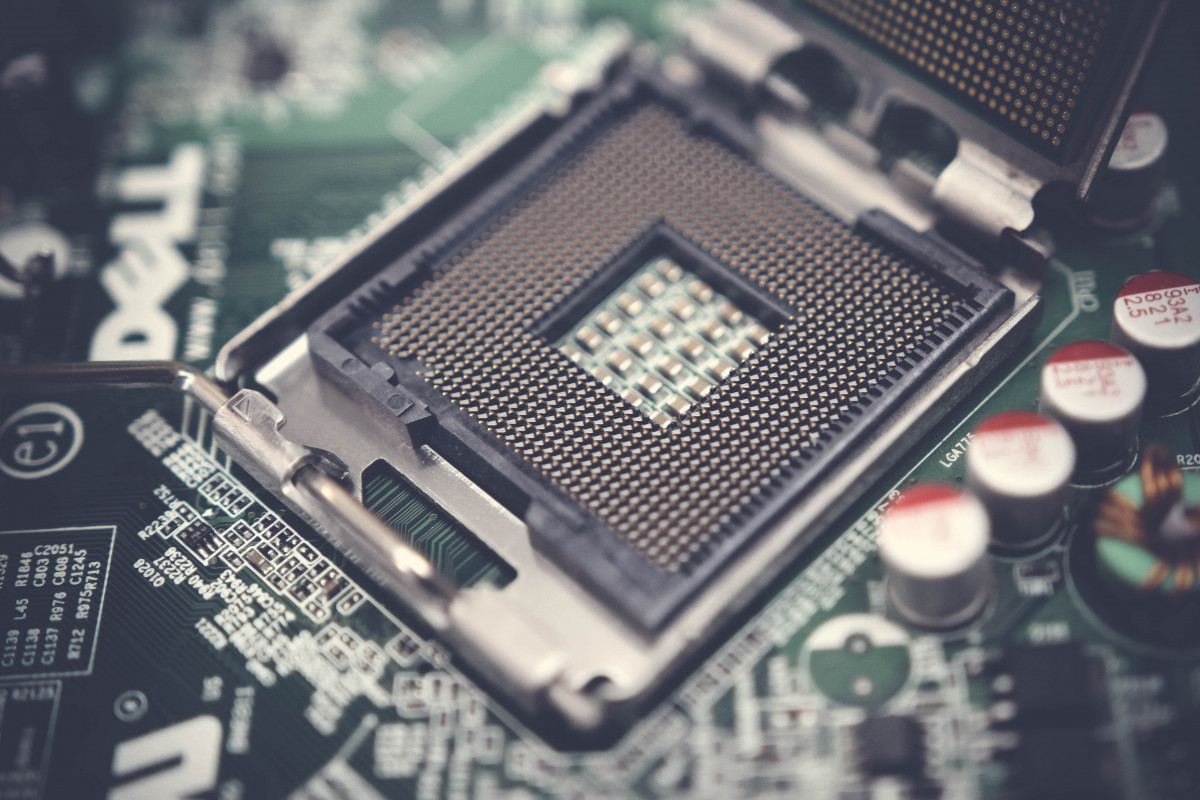
technology, electronic device, computer hardware, computer component, electronics, motherboard, personal computer hardware, cpu, computer accessory, Free Images In PxHere

from PxHere

What is the Pagefile.sys

When Microsoft created Windows XP, it became quite apparent that Windows UI couldn’t handle all the desktop users needs. Since this was in the early 2000 when we were still working with a very limited system resources. The systems we had at the time were 16 bit or 32 bit systems. This is where it gets interesting because the maximum you can have on a 16 bit system was 64kb of ram which wasn’t much. However we started with the 32 bit systems that would allow up to 4 gigabytes of memory total. It was quite nice but it still required the system to use the file system to hold or run programs. It would become self evident that the system was so bogged down by processor speed and amount of ram that was available. All the while they were working on the Windows operating system they had to create a way to throw the unimportant programs or sometimes important programs into the background to be able to load other programs. It was really a pain and I should say this isn’t something we have to worry about now.

What does it do?

Well it basically put the program to a mini sleep and throws it onto the hard drive and keeps a record of where and what it had to know in order to start the program back up. It was a way to keep memory space used to a minimum and still be able to have a really nice experience with Windows XP. Microsoft in all it’s wisdom, decided to incorporate this little feature into the Windows vista and other operating systems. I still think it has a use in Windows 10 but I doubt it is being used like was in the early days since most people usually have enough ram to not need to put to sleep any programs in the background to run programs.

Can I delete it?

Like many other experts, I say you shouldn’t even think about it. In the early days, when it was deleted or corrupted you couldn’t even boot your system. There were even cases of BSOD(Blue Screen of Death) and thus it is never recommended to delete or modify your pagefile.sys without fully backing up your system and then maybe. There are several ways you can do it but I won’t talk about that. I however will link to them and let you decide for yourself if you should do it or not.

Does it slow my system down?

In the early days, it would most likely slow it down but since we have so much more system resources than before we shouldn’t need to worry about. I honestly have 32 gigabytes of ram in my system and see no noticeable speed difference than when I had 16 gigabytes. Pagefile.sys shouldn’t be doing anything now but it might if you are using a really big program or game that requires massive amount of memory and if you didn’t have the memory requirements for it but still was able to run it. Then you might be using pagefile.sys to do swapping of programs and free up space for that game or big program that you are trying to run.

Other than when you put your Windows system to sleep, it is what is used to throw everything you have loaded up in your laptop or desktop on to the HDD to save for quick retrieval of the programs to start the laptop or desktop where you left off.   This is the only place that I know of that it is currently still be used but I am sure it is still be used on old systems.

In the long run, the pagefile.sys is still used today and probably for a while. It’s uses can be small at times but it was designed to help you with your computer memory and thus should not be tampered with unless you know what you are doing.

How IP Cameras are watching us all

Megapixel IP Camera Testing 3


Malware at a global scale can be daunting to say the least

We can do everything possible to protect ourselves from this but there is no real way to Mitigate it and there is not real way to prevent it.   Hackers are always going to find holes and white hats are always going to fix those holes as quickly as possible.  I could document millions of ways a hacker could do damage to your system, car, or even your tv and there is no real way to prevent it.    A good exploit that I would like to talk about is IP camera exploits, where all you need to do is just connect to the IP that a camera is using through a web browser.

IP Camera Tools

There are several tools around the world to help you find these IP Cameras for example Shodan.io. As you can see people can be watching without you even knowing  it.  The problem that is so prevalent is that people are paying for this service and watching people take off clothes or even having sex and you wouldn’t know it because these are private residences who are trying to make sure there isn’t any people going to rob them.  The only way to mitigate this is to not have cameras that can be easily found or even make the camera require authentication and also change the default passwords and default usernames for these types of cameras.   It will also be a problem until the manufacturers change how they make these cameras.

Exploiting Knowledge

This isn’t really a software malware but more of people exploiting the knowledge of trying to connect to ip’s and knowing about sockets and ports.   Anyone who knows how the IP camera is used knows that all you need is a certain socket and port to go to scan for to find cameras that are available on the internet.   It has gotten to the point of people recording you and then making you pay with ransoms to keep from releasing it online to embarrass you or your name.  There isn’t any real estimate as to how much the damage is in way of ransom because most people will keep quiet because of the stigma of having someone watch them doing something private.

How to Save Money on plane tickets!

American Airlines Chicago Airport!

Track the Prices!

If you are looking for the cheapest possible tickets that you can buy. You will want to track the prices of the tickets through some website or app. I figured I’d give you a few that will help you in the future:

  • Flights.google.com — I’ve always used this to track flights from one airport to the another. It’s been a really good help for me to see which airports are the cheapest and it even emails you if the prices is going down or up.
  • Hopper — I’ve used this from time to time to find the cheapest tickets also. They have a nice tracking app but it can be spotty at times.
  • Cheapflights — Another website I like to use to check out if I can find a cheap flight to make it less hard on my wallet.
  • SkyScanner –  Is an excellent way to check out prices across multiple airlines and websites.
  • Expedia —  another good one which is Microsoft’s little website.

I know these are just a few. There are a ton of websites out that I occasionally use also to find the cheapest flights. You should start there and work you way around the web and see what other sites might work for you.

Fly on Tuesday or Thursday!

If you are looking to find the cheapest flights, it seems to be a common thing to find the cheapest flights on Tuesday or Thursday. So buying your tickets on Tuesday for a Tuesday flight in the future might give you the best results for cheap flights. Although I’ve seen low price flights on Fridays and Mondays but I find Tuesday and Thursday to be the best time to fly!

Notifications

Depending on which apps you use to monitor flight prices, you should always find apps to notify you if there is a change in prices.   There are many apps that will do that, I like Googles way of emailing you daily if the price goes up or down so you can decide when the right time to buy that ticket.   Kayak and other sites will also notify if you are registered with them so that you can also find the cheapest flight possible.   I already did one blog post about finding cheap flights but I wanted to update it and give you some more information on how to find those cheap flights.

Why diversity is a way to change ourselves

Picture by Gerd Altmann

Our Identity

Many times in my life people have asked who I am and what I have done in my life. Each question can be unique to my experiences in my current life.  We all have an identity that most don’t not know or even imagine.   We could be a scared, weak or unobtrusive person who has no real value to others.   I am a writer, a father, and even believe in God, it is something that defines who I am what I believe in and why I do the things I do.  One of my many accomplishments in life is know just how to be single and being as unique as possible and saying that’s ok.   Most people are afraid to try new things or do something that is outside of their comfort zones.  We rarely will move away from that which we are comfortable and that which we are so used to but you’ll find that even then we strive to be better than before.

The Words I would use

We all have our own vocabulary an unique speech pattern that can be identifiable and that means we could bring us even more understanding of our own selves.   The words I would use to describe, that can be quite difficult to even me because there are so many adverbs, and nouns, or even adjectives to describe me and I’m not sure what others would add or say about me.   I know I have confidence, honor, and even willingness to do the right thing.   I rarely will not say what I mean and do what I say but most will not.   I am thoughtful, and I am logical and even deeply thought provoking.   These are the words I would use to describe myself because they are who I am and what I’ve become.   I am a problem solver for sure and I even know my limitations, unlike some people that can bring even more problems than what anyone knows.

The Stereotypical People

I know we see all types of stereotypes of peoples in our lives.   I know somes terms of myself that sometimes what people have called me is a know it all.  I’ve seen stereotypes in others also sometimes it is people drinking or doing stuff like being a redneck and even then it can be strange to see in others and wonder what I must do not be like them.  There are so many things people worry about when it comes to being a stereotype but I find that is something we should strive not to worry about.  I appreciate that people are different and have their own uniqueness in our life and I try every day to appreciate even more than before.

Culturally Different

I’ll say that there is much better to see the people in different religions, parts of the world, and even the difference in how they were raised to help us see the impact we have on who will become and who we were.   If we can identity our cultural significance in the world we are much likely to be a better person and make an impact to others just like we were impacted when we were young.   Understanding our cultural differences can help us to be more understanding of others and show compassion for them in ways we never thought would be possible.  This I think is where it should start just by trying to be open new possibilities and new experiences than the rest will just fall into place.
