Why Having a rolling updates for Windows 10 is a Good Idea!

Microsoft Windows 10

Those unexpected times

So you need your Windows 10 for something important from maybe a church service, or you have an important meeting on zoom for Tuesday.   You have something important going on and Windows brings up this notification that you should reboot your system for an Windows 10 update.  You can tell it to schedule the update later that day or even during the night with no problems but what if you have to reboot your system?   There’s the problem, you do have the option to restart without updating but most people don’t know that option.   It’s an easy fix.   Go into command Mode by typing Cmd into the search bar.

cmd prompt

and then type:

shutdown -s -t 0

Once it shutdowns you just reboot your system and you are back to where you left off.  It however isn’t always that simple with people who seem to forget that little trick from time to time.

Rolling Updates

What if You don’t have time to do this little trick or you forget.  Well you know what happens, you wait for the update to take place.  It can take anywhere from a few seconds to a few minutes depending on how big the update is.   I’ve seen it take like 10 mins on some systems. It can take some time to update Windows 10 because you get some massive updates sometimes when it comes to updates.   You get new Revisions and you get new patches every 2nd Tuesday of the month.   What if you need the updates to update on a certain day.     There is a way to do it.  Depending on which day you need to do the updates, you can make Windows 10 pause the updates up to 35 days and that can be a very useful way to prevent unexpected updates when you need Windows 10 to just be working.   You can do this by going into windows update settings

WIndows update settings

Once you click Windows Update Settings and go to the menu.   You’ll want to hit the advanced options and then look for pause updates.   Then you can select a date up to 35 days.    This is something I tell my clients from time to time to do this because it really does help them from having those unexpected downtimes.

Once you do this, write down the date you selected and put it somewhere next your computer.   I like to use Google Calendar or some calendar app to remind a few days before that date and then I update Windows 10 at my convenience not the other way around.   You find a day that is convenient for you and you update windows before the 35 days or you just let it do it’s thing and you have two updates in one most of the time.   Once you update and restart your system, you go back into Windows update settings and pause the updates for another 35 days or whatever date you want to pause till.   You start the process over again and you have a rolling update schedule.

Change Active Hours

Something else I tell my clients is to change the active hours you work on your system.   Even though Windows 10 does a really good job, it isn’t perfect and thus you might be using the system when the system thinks it should be inactive.   You can also change that on the windows update setting page.   I usually turn off the active hours feature and then change the active hours and put it when I will be using the computer the most of the time.

Schedule the update

You can also schedule when Windows will do the update.   In the early days you could only pause the update for 4 hours before it would restart the system without your knowledge.   Now you can tell Windows when to restart the system and usually it will pick sometime while you are inactive and not doing anything.   So you can select the time that is convenient for you.   You can do this by just going to Windows update Settings page(See above) and hit the Schedule the Restart and then select the time of day you want the system to restart the computer.  This way if you forgot that there is an update and you are busy with work, you can tell it to wait till you aren’t busy with some important work.

Like what you read?  Why not subscribe to my blog and find other things that you might like and want to read?  Was this helpful?  Why not share this post with others so they can know these tricks and tips for the next time this happens.
 

The Pagefile.sys and the early years

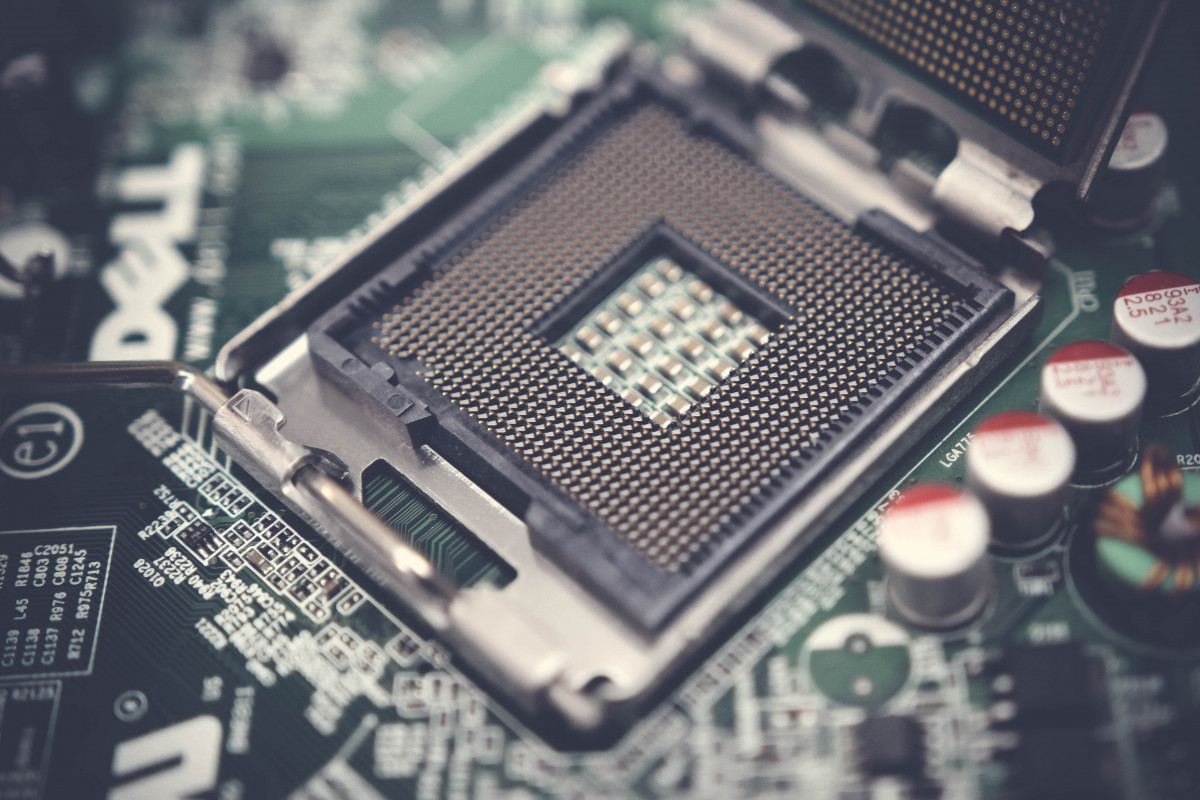
technology, electronic device, computer hardware, computer component, electronics, motherboard, personal computer hardware, cpu, computer accessory, Free Images In PxHere

from PxHere

What is the Pagefile.sys

When Microsoft created Windows XP, it became quite apparent that Windows UI couldn’t handle all the desktop users needs. Since this was in the early 2000 when we were still working with a very limited system resources. The systems we had at the time were 16 bit or 32 bit systems. This is where it gets interesting because the maximum you can have on a 16 bit system was 64kb of ram which wasn’t much. However we started with the 32 bit systems that would allow up to 4 gigabytes of memory total. It was quite nice but it still required the system to use the file system to hold or run programs. It would become self evident that the system was so bogged down by processor speed and amount of ram that was available. All the while they were working on the Windows operating system they had to create a way to throw the unimportant programs or sometimes important programs into the background to be able to load other programs. It was really a pain and I should say this isn’t something we have to worry about now.

What does it do?

Well it basically put the program to a mini sleep and throws it onto the hard drive and keeps a record of where and what it had to know in order to start the program back up. It was a way to keep memory space used to a minimum and still be able to have a really nice experience with Windows XP. Microsoft in all it’s wisdom, decided to incorporate this little feature into the Windows vista and other operating systems. I still think it has a use in Windows 10 but I doubt it is being used like was in the early days since most people usually have enough ram to not need to put to sleep any programs in the background to run programs.

Can I delete it?

Like many other experts, I say you shouldn’t even think about it. In the early days, when it was deleted or corrupted you couldn’t even boot your system. There were even cases of BSOD(Blue Screen of Death) and thus it is never recommended to delete or modify your pagefile.sys without fully backing up your system and then maybe. There are several ways you can do it but I won’t talk about that. I however will link to them and let you decide for yourself if you should do it or not.

Does it slow my system down?

In the early days, it would most likely slow it down but since we have so much more system resources than before we shouldn’t need to worry about. I honestly have 32 gigabytes of ram in my system and see no noticeable speed difference than when I had 16 gigabytes. Pagefile.sys shouldn’t be doing anything now but it might if you are using a really big program or game that requires massive amount of memory and if you didn’t have the memory requirements for it but still was able to run it. Then you might be using pagefile.sys to do swapping of programs and free up space for that game or big program that you are trying to run.

Other than when you put your Windows system to sleep, it is what is used to throw everything you have loaded up in your laptop or desktop on to the HDD to save for quick retrieval of the programs to start the laptop or desktop where you left off.   This is the only place that I know of that it is currently still be used but I am sure it is still be used on old systems.

In the long run, the pagefile.sys is still used today and probably for a while. It’s uses can be small at times but it was designed to help you with your computer memory and thus should not be tampered with unless you know what you are doing.

How College has changed me in many ways

reading, knowledge, books, encyclopedia, bookshelf, academic, academy, battered, collection, college, concept, educated, education, head, human, idea, learning, library, novel, school, design, shelf, silhouette, study, university, gesture, art, font, drawing, magenta, rectangle, painting, graphics, illustration, fictional character, logo, diagram, animation, brand, clip art, graphic design, line art, Free Images In PxHerePhoto by mohamed_hassan from PxHere

Before College

When I am writing this, I’m really thinking about how this has changed me.  My  blog has been really quite the last few years due to my overwhelming time for working all this over time at my previous job.   When the pandemic hit last year early 2020, the company, I was working at at the time had to make some really hard decisions and they decide to shut down our plant that I’ve been working at for several years.  So we started the process of shutting down the plant and they started the process of laying people off and putting 300 workers off to find better and greater things.   I say that with a little trepidation because they really didn’t care too much what we did after we got laid off or what our plans were.  They just shut the door and said good luck.   I hold no grudge with the company because they provided me with a stable income and a stable job even the benefits were a lot better than I was used to.  While the process was difficult for me and others because we would have to find a new job or go to a new location, I find it was also a rewarding aspect of getting  laid off.   I found that I could go back to school for a trade or skill and I took the opportunity to get my Information Technology Support certifications that I’ve always wanted.

To Present Day

If you haven’t been paying attention the last few weeks, I’ve been trying to keep posting stuff to my blog to talk about subjects that I thought were interesting.   It was required of us to talk about these topics and thought I would be nice to share my thoughts to the community at large.   I don’t expect everyone to understand the concept but I do think it’s something that I thought would bring even more people to understand me and my thoughts in the big world of college education.  We were required to write about certain subjects and I just wanted to bring you guys along for the ride.  So when we got the subject over with I would throw the writings that I did on the blog to see what people thought or what type of response I got from it.   So far it’s not been extremely bad or good, I’ve seen people coming more to my blog on a regular basis but I’m hopeful that more people will drop by and see what I might be posting in the future.

Future Plans

The future is bright for me, I intend to continue the process of writing posts.   If I see a discussion that I like and think others will be enlightened,  I will most likely publish it on my website.   I’m just at odds to what my professors will say or do if they think I am plagiarizing my own work.   I doubt they can do anything more than smile because I am using my own work and sharing it with the world.   It also helps prevent others from using my work for their own devious needs in the future.  I started scheduling more blog post in the coming weeks and I’ll sit down later on this week or next and write even more post to keep this momentum up.  I’m hopeful that more people will come to my site for insightful thoughts and knuckets from me.   So you see college has helped me to see that I’m a better writer than I thought.  I never thought my blog was anything special.  I just like to write and it was something that I wanted to try.   I’ve got some good responses from classmates about my work and that is why I published them here.

College and Me

Finally, I will talk about how it has changed me.   You might not know much about me but you know that I love to write and love to discuss what’s on my mind and that can be a great enjoyment of mine.   I think the biggest thing that has happened to me is that I have a better understanding on how well I write and what people think about my writing abilities.   All the teachers are really impressed and surprised by what I write about how how well I discuss subjects.  The one thing I can say to anyone who’s thinking about college, do something that brings you joy.  You can’t lose when it comes to grades and your life will better for it.

Do you like what you’ve read so far?  Why not comment and tell me what you liked or hated about my blog posts.   I’d love to hear from my current readers and to see my blog posts being shared around the world.

How Nvidia LHR Graphics cards will work. Are they even worth it?

Someone from Ebay selling their 2070 super for that much!

All over priced GPU’s

Well you can see that there are several different types of people who are trying to sell cards.   Those who get them out right and buy them and then turn around and sell them on sites like this for even more money.   I really can’t blame people for doing this after all the demand is high for really good Graphics cards.  The problem right now is the crypto miners are using them to get bitcoins and even dogecoins.   It is a constant problem because of how much people can make with mining rigs to get bitcoins or even dogecoins.  Although right now the Bitcoin, and other crypto miner coins are dropping in value rather fast, we really don’t know if it will keep going down or go even higher in the future.

Nvidia Announced Low Hash Rates

A few weeks ago, Nvidia announce the LHR Graphics cards that is being made in the future.  The low hash rates will go into effect when the gpu thinks it will is being used to mine and will drop the hash rates to half to discourage miners from buying gpus to crypto mine for coins from all the most common miners.    There are some really big problems ahead for those who might want to bit mine.   So now that they made this announcement what is the likelihood that they find a way to get around this bitcoin limiter?

Will it work?

Many people wonder that, and I am also really curious about it.  I can only surmise what it will likely be like and we can then go ahead and see when the finally release it.   I am hopeful that it will be hardware locked, meaning that no one can change with any possible way.   This should make the miners go somewhere to get their hardware.   I have heard of miners trying to unlock this feature but I think I’ve heard it because of the firmware updates.   This isn’t a hardware but a software lock and those can easily be hacked and changed.    Hardware locks are those that are not able to be modified or changed and thus should make it far less likely for the miners to even try to use them for their mining rigs.

Will it make any difference in gaming?

This part is also something I really don’t know much about but Nvidia has said that it will not make any difference in speed and use of the GPU for gaming since most of them don’t use hashes to run games and when it does is just to check a file is correct and that is far and few between.  I can surmise that if it does make a difference it will be so slight and not even hardly be seen by the gamer.   The frame rates and speed of the games I can’t see that creating any problems in the game play.

When will it be released?

It is due to happen sometime at the end of this month or at the beginning of next month.   Don’t expect too much to happen at first launch and I don’t know what the prices will be.   I’ve been looking all around to see when they will start selling but Amazon, NewEgg, and Even other stores around the internet have yet to show any signs of selling those cards yet.   You’ll know when you see the box, I am sure it will say something like low hash rates or will have the LHR on the box somewhere to make sure to let the crypto miners know that it isn’t something they may want.   This is just one of those steps we will have to watch and see how that will evolve in the future because I am sure the crypto miners are going to try to find way to get past the hash limiter and make it to where it will work just like normal.

Will you use it?

Now here’s the ultimate question, will you use it when it get released just to because you’ve been waiting for that GPU to put in the system you’ve built or are you going to just wait and see what people say about it?  Why not leave a comment and tell me what you think will happen and is this a good idea or a bad idea?

How IP Cameras are watching us all

Megapixel IP Camera Testing 3


Malware at a global scale can be daunting to say the least

We can do everything possible to protect ourselves from this but there is no real way to Mitigate it and there is not real way to prevent it.   Hackers are always going to find holes and white hats are always going to fix those holes as quickly as possible.  I could document millions of ways a hacker could do damage to your system, car, or even your tv and there is no real way to prevent it.    A good exploit that I would like to talk about is IP camera exploits, where all you need to do is just connect to the IP that a camera is using through a web browser.

IP Camera Tools

There are several tools around the world to help you find these IP Cameras for example Shodan.io. As you can see people can be watching without you even knowing  it.  The problem that is so prevalent is that people are paying for this service and watching people take off clothes or even having sex and you wouldn’t know it because these are private residences who are trying to make sure there isn’t any people going to rob them.  The only way to mitigate this is to not have cameras that can be easily found or even make the camera require authentication and also change the default passwords and default usernames for these types of cameras.   It will also be a problem until the manufacturers change how they make these cameras.

Exploiting Knowledge

This isn’t really a software malware but more of people exploiting the knowledge of trying to connect to ip’s and knowing about sockets and ports.   Anyone who knows how the IP camera is used knows that all you need is a certain socket and port to go to scan for to find cameras that are available on the internet.   It has gotten to the point of people recording you and then making you pay with ransoms to keep from releasing it online to embarrass you or your name.  There isn’t any real estimate as to how much the damage is in way of ransom because most people will keep quiet because of the stigma of having someone watch them doing something private.